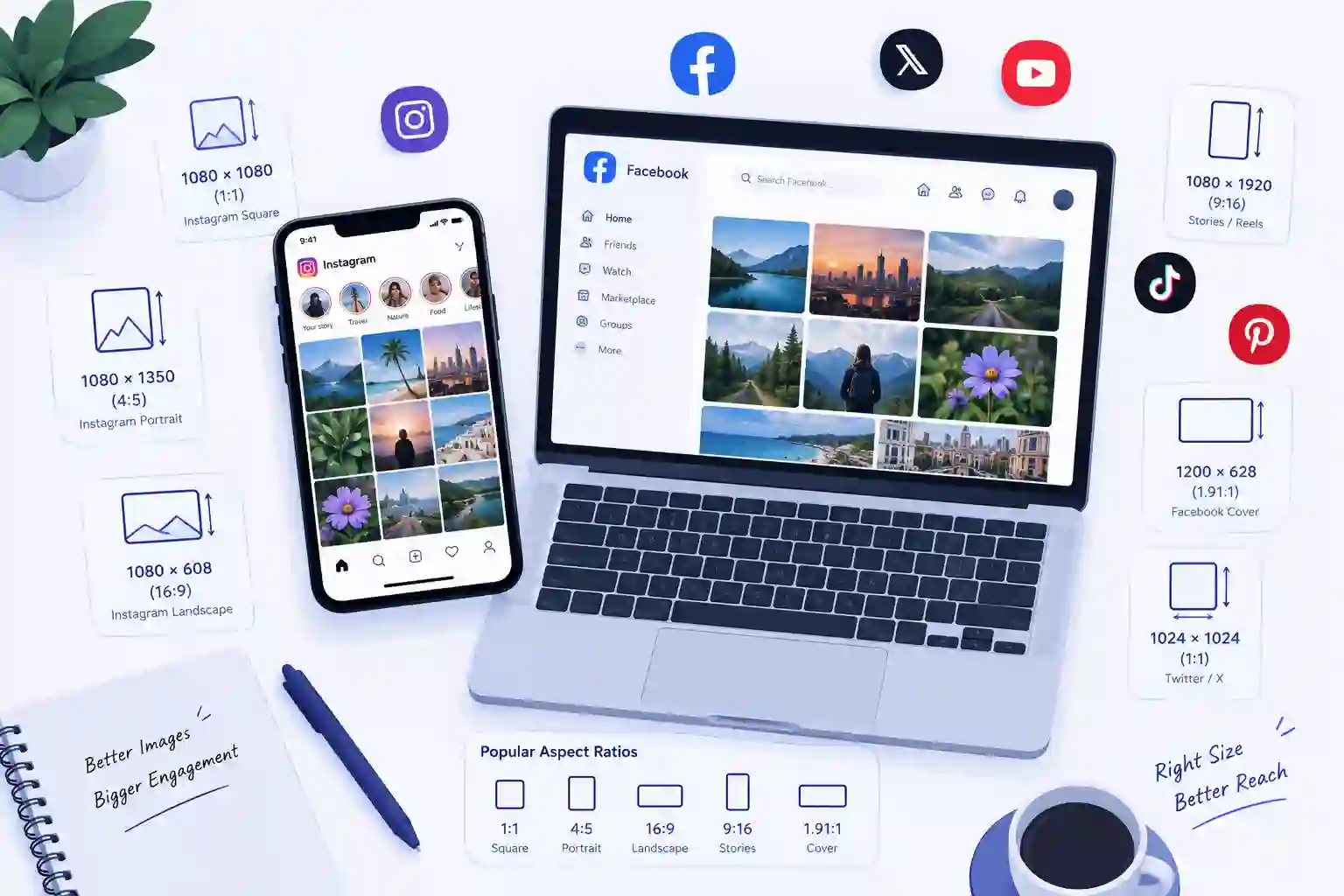
If you have ever uploaded a photo to Instagram only to watch it get cropped in a weird spot, or posted a banner on LinkedIn that looked stretched and blurry, you already know why image sizing matters. Every platform has its own rules for dimensions, aspect ratios, and file size limits, and those rules change more often than most people realize.
Table of Contents
In 2026, with feeds dominated by short-form video, carousel posts, and AI-generated thumbnails, using the wrong image size does not just look sloppy. It actively hurts your reach, because most algorithms quietly deprioritize content that gets cropped awkwardly or loads slowly. This guide breaks down the exact image sizes you need for every major platform this year, plus practical tips for keeping your images sharp without bloating your file sizes.
Why Image Size Still Matters in 2026
It is tempting to assume that with AI-powered auto-cropping and smarter apps, image sizing has become a "set it and forget it" problem. That is not really true. Platforms still enforce hard limits on resolution and file weight, and auto-crop tools do their best guess, not a perfect job. A face cut in half, a logo pushed off the edge, or a caption overlay landing on the wrong part of the image are all still common problems.
There is also a performance angle. Oversized images take longer to upload and longer to render in someone's feed, especially on mobile data. Slow-loading posts get scrolled past. On the flip side, images that are too small get stretched and turn blurry, which makes even good content look unprofessional. Getting the size right the first time saves you from re-uploading, re-editing, or losing engagement because of a technical detail nobody notices until it's wrong.
Instagram Image Sizes in 2026
Instagram remains one of the strictest platforms about cropping, especially in the main feed grid.
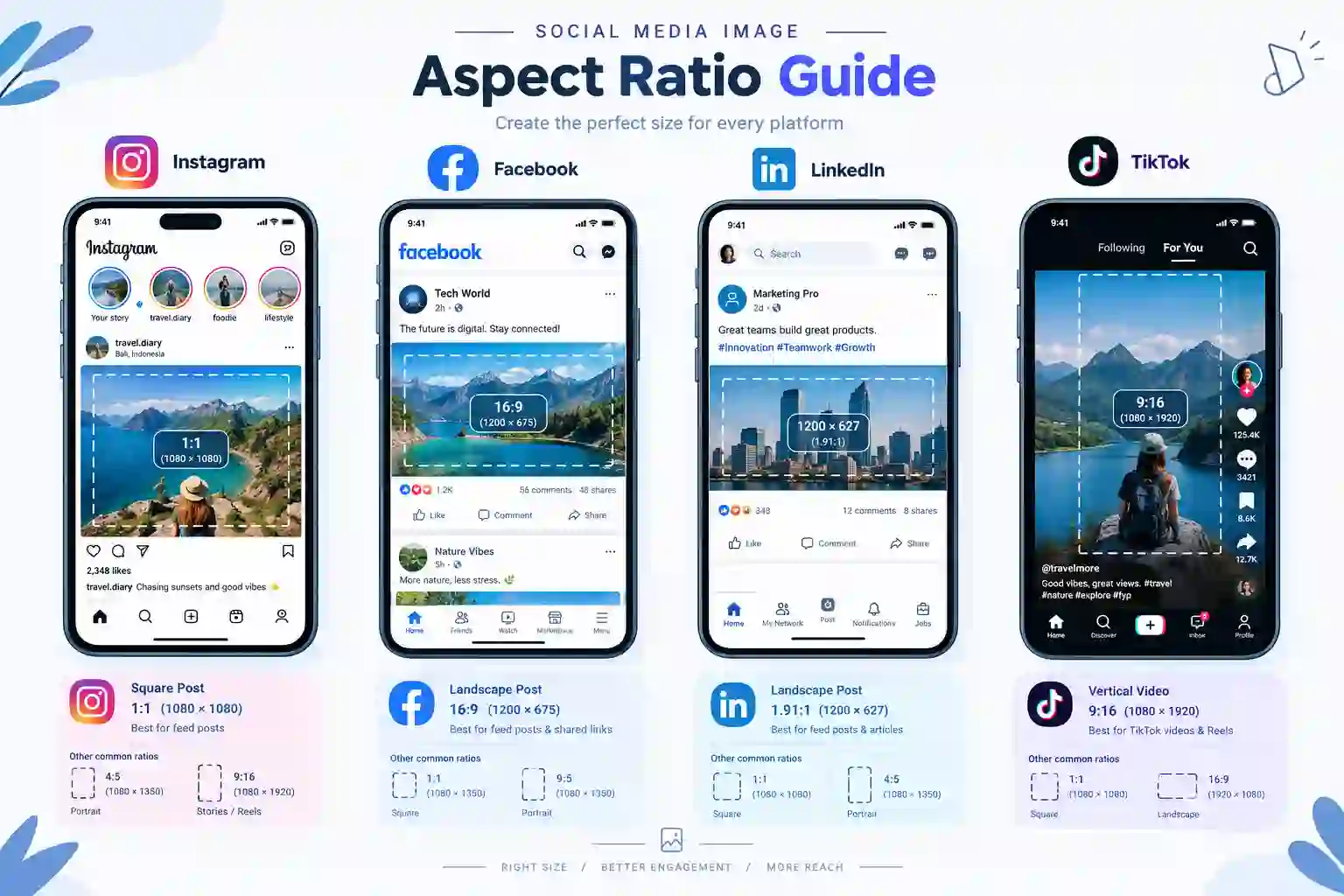
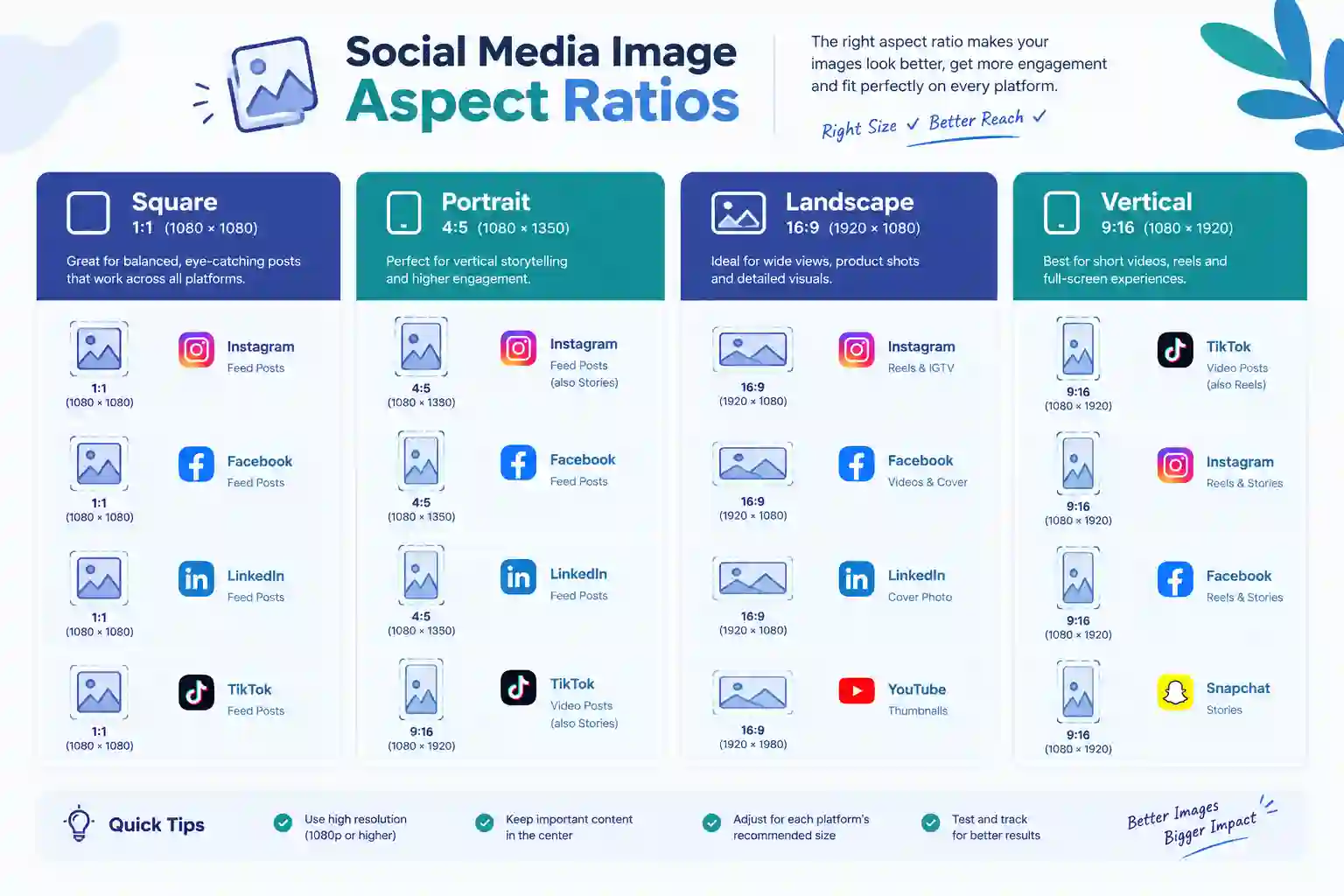
- Square posts: 1080 x 1080 px (1:1 ratio)
- Portrait posts: 1080 x 1350 px (4:5 ratio) — this is the size Instagram favors most, since it takes up more vertical screen space
- Landscape posts: 1080 x 566 px (1.91:1 ratio)
- Stories and Reels: 1080 x 1920 px (9:16 ratio)
- Profile picture: 320 x 320 px, displayed as a circle, so keep key details centered
Portrait posts at 4:5 are still the safest default if you only want to remember one number, since they perform well in both the main feed and Explore page without looking cramped.
Facebook Image Sizes in 2026
Facebook supports a wider mix of content types, so its sizing rules are more varied depending on where the image appears.
- Shared image posts: 1200 x 630 px
- Cover photo: 820 x 312 px on desktop, though it renders slightly differently on mobile, so keep important elements centered
- Profile picture: 720 x 720 px, cropped to a circle
- Stories: 1080 x 1920 px (9:16 ratio)
- Event cover photo: 1920 x 1005 px
Facebook compresses images fairly aggressively on upload, so starting with a slightly higher resolution than the minimum helps avoid visible quality loss after their compression pass.
X (formerly Twitter) Image Sizes in 2026
- In-stream photos: 1600 x 900 px (16:9 ratio)
- Header photo: 1500 x 500 px
- Profile picture: 400 x 400 px, cropped to a circle
X still compresses images noticeably, so photos with fine text or thin lines can look slightly soft after upload. Keeping important text large and simple avoids that issue.
LinkedIn Image Sizes in 2026
LinkedIn has grown into a major content platform, and its image specs matter more than ever for anyone posting professionally.
- Shared image posts: 1200 x 627 px
- Cover (banner) photo: 1584 x 396 px
- Profile picture: 400 x 400 px
- Company page cover: 1128 x 191 px
- Document/carousel posts (PDF slides): 1080 x 1080 px per slide works best for readability on mobile
Carousel-style posts have become one of the best-performing formats on LinkedIn, so if you are building slide decks for this purpose, square slides tend to hold up better across both desktop and mobile feeds.
Pinterest Image Sizes in 2026
Pinterest is built entirely around vertical images, and going against that grain almost guarantees lower visibility.
- Standard Pins: 1000 x 1500 px (2:3 ratio)
- Idea Pins (multi-page): 1080 x 1920 px (9:16 ratio)
- Profile picture: 165 x 165 px
Anything wider than tall on Pinterest tends to get squeezed into a small thumbnail and loses most of its visual impact, so vertical is non-negotiable here.
TikTok Image and Thumbnail Sizes in 2026
Even though TikTok is primarily a video platform, thumbnails and image posts still follow specific rules.
- Video thumbnail/cover: 1080 x 1920 px (9:16 ratio)
- Profile picture: 200 x 200 px
- TikTok photo posts (slideshow format): 1080 x 1920 px per image
Because TikTok's interface is almost entirely full-screen vertical video, any image that is not shot or cropped vertically will end up with heavy black bars or a forced, awkward crop.
YouTube Image Sizes in 2026
- Thumbnail: 1280 x 720 px (16:9 ratio), staying under 2MB in file size
- Channel banner: 2560 x 1440 px, but keep essential text and logos within the "safe area" of roughly 1546 x 423 px in the center, since edges get cropped differently across devices
- Profile picture: 800 x 800 px
Thumbnails are arguably the single most important image on this list for click-through rate, so it is worth spending extra time making sure text is legible even at a small size, since most people see thumbnails shrunk down in a feed of suggested videos.
Quick Reference Table
| Platform | Best Post Size | Aspect Ratio |
|---|---|---|
| Instagram Feed | 1080 x 1350 px | 4:5 |
| Instagram Story/Reel | 1080 x 1920 px | 9:16 |
| Facebook Post | 1200 x 630 px | 1.91:1 |
| Facebook Cover | 820 x 312 px | Wide |
| X Post | 1600 x 900 px | 16:9 |
| LinkedIn Post | 1200 x 627 px | 1.91:1 |
| Pinterest Pin | 1000 x 1500 px | 2:3 |
| TikTok | 1080 x 1920 px | 9:16 |
| YouTube Thumbnail | 1280 x 720 px | 16:9 |
Common Mistakes People Still Make
A few sizing mistakes show up again and again, even among experienced social media managers.
Uploading the same image everywhere. A square Instagram post crammed into a LinkedIn banner slot almost always ends up stretched or cropped. Every platform deserves its own export, even if it's the same base photo.
Ignoring the "safe zone." Profile pictures get cropped into circles, cover photos get partially hidden behind buttons or text, and story images get covered by usernames and stickers near the top and bottom. Keep faces, logos, and text away from the outer edges.
Uploading massive, uncompressed files. A 20MB photo straight from a modern smartphone camera is overkill for any of these platforms. Most social networks compress it anyway, but starting with a properly sized and compressed file preserves more detail than letting the platform's own compression algorithm do all the work.
Forgetting mobile preview. Almost all viewing happens on phones now, so always preview an image at a small size before posting. Text or details that look fine on a desktop editor can vanish completely on a 6-inch screen.
How to Resize and Compress Images the Easy Way
You do not need design software to get these sizes right. A handful of free online tools can resize, crop, and compress images in seconds, right from a browser.
For a straightforward way to resize images to exact social media dimensions or convert between formats, FreelyConvert's Image Converter handles most common resizing needs in one step. If your images are coming out too large after resizing, the FreelyConvert Image Compressor can shrink the file size to a specific KB target without a noticeable quality drop, which is especially useful for platforms like X and Facebook that compress uploads aggressively anyway.
If you are working with a large batch of photos at once, say, exporting an entire campaign's worth of images, BulkImageCompressor is built specifically for compressing many images in a single pass, which saves a lot of time compared to doing them one by one.
For quick, no-frills resizing to exact pixel dimensions for a specific platform, ImageResizer.dev is a solid lightweight option that gets straight to the point without extra steps.
Between these tools, most people can cover the entire workflow: resize to the right dimensions, compress to a manageable file size, and batch-process anything larger than a handful of images.
Staying Ahead as Platforms Keep Changing
Social platforms update their specs more often than people expect, sometimes without much announcement. A safe habit is to check each platform's official help center every few months, since even small shifts (like Instagram's move toward favoring 4:5 portrait images over square posts) can noticeably affect how content performs.
It also helps to build a simple template file for each platform's most-used sizes, so you are not looking up dimensions every time you need to post. Whether you use design software or a quick online converter, having those numbers ready saves time and keeps your content looking sharp across every platform you use.
Final Thoughts
Getting image sizes right in 2026 is less about memorizing every number and more about building a habit: check the platform, resize to its native dimensions, compress if needed, and preview on mobile before you hit publish. It is a small step that consistently pays off in how professional and polished your content looks, and in how well it performs once it is out in the feed.
With the right combination of free tools, whether that's FreelyConvert's image tools for quick resizing and compression, BulkImageCompressor for batch jobs, or ImageResizer.dev for fast one-off resizing, there is no real reason to keep guessing at dimensions or dealing with blurry, cropped posts.