If that's happened to you recently, you're not alone. Photos and videos are the single biggest reason modern smartphones run out of space, and most people don't realize how fast it happens until it's too late. In this guide, we'll break down exactly why images and videos consume so much storage, how it quietly affects your ability to post and share content, and what you can actually do about it — today.
Table of Contents
Why Photos and Videos Take Up So Much Space
To understand why your storage disappears so quickly, it helps to know what's actually happening behind the scenes every time you tap the shutter button.
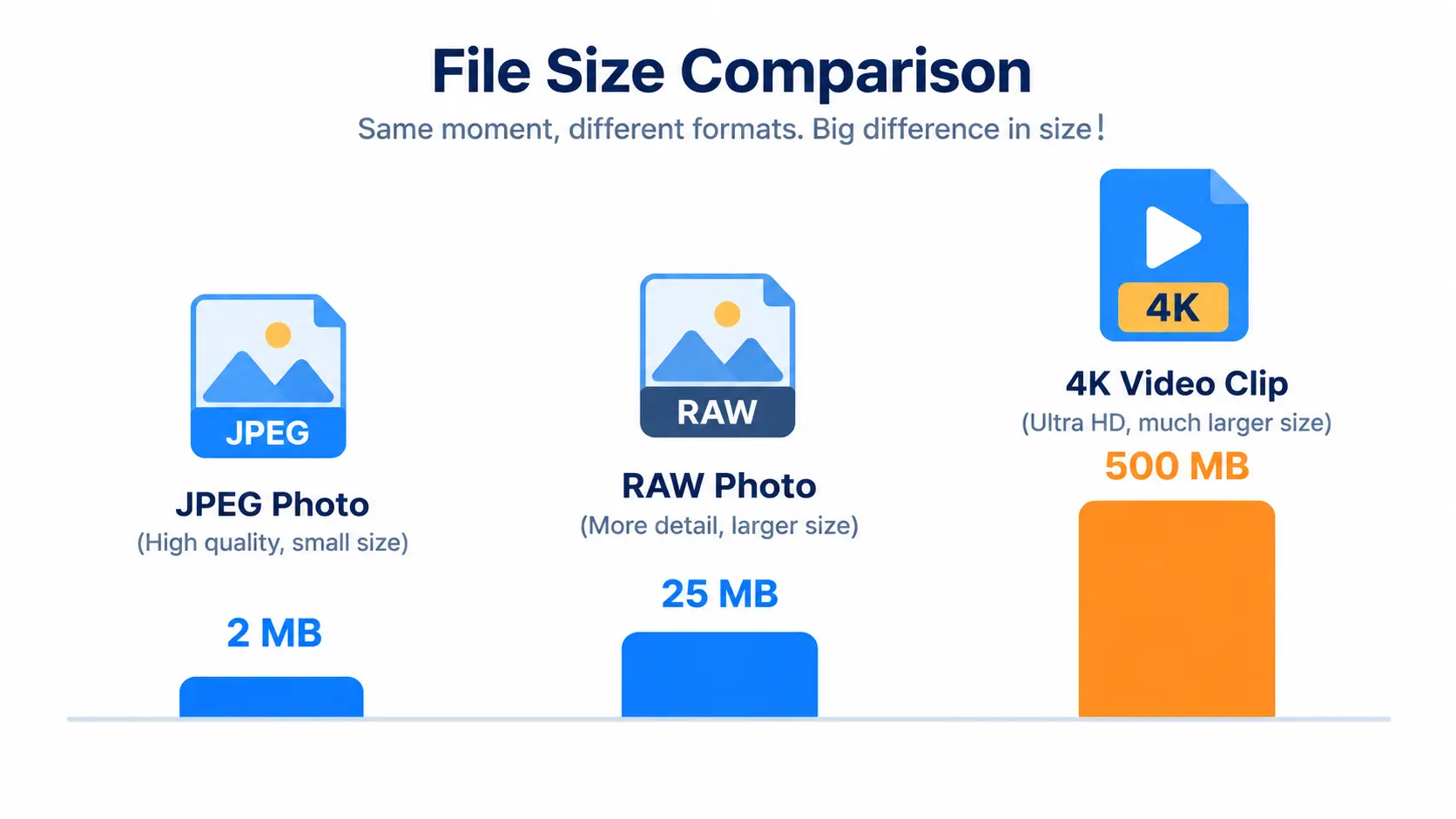
A single photo from a modern smartphone camera isn't just "a picture" — it's a dense file packed with pixel data. Most phones today shoot at 12MP to 200MP, and every megapixel adds more information that has to be stored. A basic JPEG photo from a mid-range phone can easily sit between 3MB and 8MB. Shoot in RAW or ProRAW mode, and that same photo can balloon to 25MB or more.
Videos are far worse. A single minute of 4K video at 60 frames per second can consume 350MB to 400MB of space. That means a casual 10-minute video from a birthday party or a hike could eat up nearly 4GB — almost half of a budget phone's entire available storage — in one recording session.
Multiply that by how often people actually use their cameras. Studies on smartphone usage consistently show that photo and video capture is one of the top three most-used features on any device, alongside messaging and social media browsing. It's not one huge file that fills your phone — it's hundreds of "small" ones adding up silently in the background.
The Hidden Storage Culprits Most People Miss
Beyond the obvious photo and video files, there are several sneaky ways your storage disappears without you noticing:
- Live Photos and Motion Photos — These capture a few seconds of video before and after every still shot, roughly doubling or tripling the file size of a "simple" photo.
- Burst mode shots — Taking 10 photos in two seconds to catch the perfect shot means 9 duplicates sitting quietly in your gallery.
- App cache and media — Apps like WhatsApp, Instagram, and TikTok automatically download and cache images and videos sent to you, often without asking.
- Screen recordings — A 30-second screen recording in high resolution can be just as large as a regular video clip.
- Duplicate backups — Photos synced to two cloud services, or saved both in your gallery and a downloaded folder, quietly double up your storage use.
- Unedited "raw" exports — When you edit a photo or video, many apps save both the original and the edited version, keeping two files instead of one.
Individually, none of these feel significant. Together, they're often responsible for gigabytes of storage you didn't know you were using.
How Low Storage Affects Your Daily Posting Habits
For anyone who regularly posts on Instagram, TikTok, Facebook, or Snapchat, low storage isn't just an inconvenience — it directly interrupts your content routine.
Here's what typically happens once storage runs low:
- Camera app slows down or crashes mid-recording, especially for 4K or slow-motion video.
- App downloads and updates fail, meaning your social apps stop getting bug fixes and new features.
- Cloud backup gets paused, putting recent memories at risk if something happens to your device.
- Editing apps lag or refuse to export, since video editing requires temporary storage space to render.
- You start deleting content in a rush, sometimes losing photos or videos you actually wanted to keep.
For content creators and small business owners who rely on consistent posting, this isn't a minor annoyance — it can mean missed posting windows, lower engagement, and lost momentum on the platforms that reward daily activity.
Case Study: How Sara Lost 3 Days of Content to Low Storage
Sara, a 24-year-old lifestyle content creator, posts daily Reels and Stories to grow her audience. During a weekend trip, she planned to film a three-part travel series — one video per day — to post throughout the following week.
On day one, she recorded roughly 25 minutes of 4K footage across several clips, plus around 80 photos. By the end of day two, her phone's storage warning appeared. She ignored it, assuming she had "a bit more room."
By day three, her camera app began force-closing every time she tried to record longer than 15 seconds. She couldn't back up her footage because her cloud storage plan was also full, and hotel Wi-Fi was too slow to upload everything before checkout.
In the end, Sara had to delete nearly 40 photos and two full video clips on the spot just to keep recording — content she never got back. Her three-part series became a rushed one-part post, and she lost several days of planned content for her page.
What went wrong? Sara had a phone with only 64GB of total storage, no external storage support, and had never checked how much space was actually free before her trip. A quick specs check — or switching to a phone with more storage and better video compression — would have completely prevented the problem.
This kind of scenario is extremely common, and it's exactly why understanding both your current storage usage and your phone's actual storage capacity matters before you're relying on it for something important.

Storage vs. Content: A Quick Comparison Table
Here's a general estimate of how far common storage sizes go, based on average phone camera output in 2026 (figures vary depending on resolution and compression settings):
| Storage Size | Approx. Photos (avg. 5MB each) | Approx. 4K Video (at ~350MB/min) | Realistic for Daily Posting? |
|---|---|---|---|
| 32GB | ~4,500 photos (after OS/app usage) | ~40 minutes | Not recommended for creators |
| 64GB | ~9,500 photos | ~90 minutes | Light, occasional posting only |
| 128GB | ~20,000 photos | ~200 minutes | Suitable for casual daily use |
| 256GB | ~42,000 photos | ~400+ minutes | Good for regular content creators |
| 512GB+ | ~90,000+ photos | ~800+ minutes | Ideal for heavy video creators |
Note: These numbers assume the phone's operating system, pre-installed apps, and cached data already use 10–20GB of the total storage, which is standard on most modern smartphones.
How to Check Your Phone's Storage Specs Before You Buy
One of the biggest mistakes people make is buying a phone based on price or camera megapixels alone, without checking how storage, RAM, and video capabilities work together.
Before upgrading, it's worth comparing full specification sheets rather than relying on marketing pages. Sites like Mobile Listify let you look up detailed specs, storage variants, and prices for phones from Samsung, Apple, Motorola, Oppo, Vivo, and other major brands side by side, so you can see exactly how much storage a device offers before committing to it.
If you're deciding between two or three models, using a dedicated phone comparison tool is far more reliable than guessing based on a product listing, since it lays out storage tiers, camera specs, and battery life next to each other in one view.
Practical Fixes: How to Reclaim Space Without Deleting Memories
The good news is that you don't have to delete your favorite photos and videos just to free up space. A few practical habits can make a huge difference:
- Compress images before saving or sharing them. A tool like FreelyConvert's image compressor can shrink photo file sizes significantly with almost no visible quality loss, which is especially useful before uploading to social media or cloud storage.
- Compress large video files. If you're recording in 4K but only need the footage for social media (which rarely displays full 4K quality anyway), a video compressor can cut file sizes dramatically while keeping videos watchable and shareable.
- Convert heavy image formats. Switching bulky formats like BMP or uncompressed PNG into more efficient formats using an image converter can save meaningful space, particularly for screenshots and graphics.
- Turn off Live Photos and burst mode unless you specifically need them.
- Regularly clear app cache for messaging and social apps, which quietly store media you didn't choose to save.
- Back up and delete, not just back up. Backing up to the cloud doesn't free space unless you also remove the local copy afterward.
For a deeper look at how oversized image files affect more than just storage — including website performance and SEO — this related read on why large image files hurt website SEO is worth a look, especially if you manage a blog or online store alongside your social content.
Choosing a Phone With Better Storage in 2026
If storage issues have become a recurring problem, it may simply be time for a phone built for heavier photo and video use. When comparing options, look specifically at:
- Base storage of 128GB or higher for anyone who records video regularly
- Efficient video codecs (like H.265/HEVC) that produce smaller file sizes at the same quality
- Cloud integration that syncs automatically without duplicating local files
- RAM of 8GB or more, which affects how smoothly the camera app performs when storage is tight
Rather than relying on a single retailer's product page, comparing full spec sheets on a platform like Mobile Listify makes it much easier to filter phones by storage capacity, brand, and price range, so you can find a device that actually matches how much you shoot and post.
Frequently Asked Questions
Why does my phone storage fill up so fast even though I delete photos regularly? Deleted photos and videos often sit in a "Recently Deleted" folder for 30 days before being permanently removed, still taking up space. App cache, screen recordings, and duplicate cloud-synced files also add up quietly in the background.
Does deleting apps free up more space than deleting photos? It depends on usage, but for most people who take regular photos and videos, media files are the larger long-term storage drain, especially after a few months of daily use.
Is cloud storage a permanent fix for phone storage problems? Cloud storage helps, but it isn't a full fix unless you actually delete the local copies after backup and have reliable internet access when you need to retrieve files.
How much storage do I actually need if I post daily on social media? For most casual-to-regular creators, 128GB is a comfortable minimum, while heavier video creators are often better served by 256GB or more.
Final Thoughts
Running out of phone storage rarely feels dramatic in the moment — it's a slow leak, not a flood. A few extra photos here, an unnecessary screen recording there, and suddenly you're staring at a "storage full" warning in the middle of something important.
The fix isn't complicated: understand where your storage is actually going, compress and convert files when you can, and choose a phone whose specs genuinely match how much you shoot, edit, and post. A little bit of awareness today can save you from losing content — or missing a posting deadline — tomorrow.