A few years ago, editing a photo meant opening heavy software, manually selecting layers, and spending twenty minutes just to remove a background. Formatting a messy PDF meant retyping half of it by hand. Today, most of that work happens in seconds — and most people don't even notice the shift.
That's the quiet part. AI isn't arriving with fanfare anymore. It's baked into the "Remove Background" button you tap without thinking, the auto-formatted PDF you download, and the one-click enhancement that makes an old, blurry photo suddenly look sharp. This article breaks down exactly how AI is reshaping photo and document editing, why it matters for everyday users and businesses alike, and where this is all heading next.
Table of Contents
The Shift From Manual Editing to Smart Automation
For most of the last two decades, editing a photo or a document required skill. You needed to know how to use a lasso tool, adjust curves, or manually re-align a scanned page. Software was powerful, but the learning curve kept a lot of people out.
AI flipped that equation. Instead of requiring users to learn tools, modern editing software learns to understand intent. You don't select a background pixel by pixel anymore — you just say "remove the background," and the model figures out the rest using pattern recognition trained on millions of images.
The same is true for documents. Instead of manually reformatting a messy Word file or retyping a scanned PDF, AI models can now read the structure of a page, understand what's a heading versus a paragraph, and rebuild it automatically.
This isn't a small feature update — it's a fundamental change in who editing tools are built for. They used to be built for professionals. Now they're built for everyone.
.webp)
How AI Is Changing Photo Editing
Photo editing has arguably seen the most visible AI transformation. Here's where it's showing up most:
1. Background Removal in One Click
What used to require the pen tool and a steady hand is now instant. AI models are trained to detect edges — hair strands, glass, transparent objects — with a level of precision that used to take professionals hours to achieve manually.
2. Generative Fill and Object Removal
Want to remove a stranger from your vacation photo? AI doesn't just delete them — it generates new background pixels that blend naturally into the scene, guessing what should logically be there based on surrounding patterns.
3. Smart Upscaling
Old, low-resolution photos can now be enlarged without turning into a blurry mess. AI upscaling models add believable detail — sharper edges, clearer textures — instead of just stretching existing pixels.
4. Automatic Color and Lighting Correction
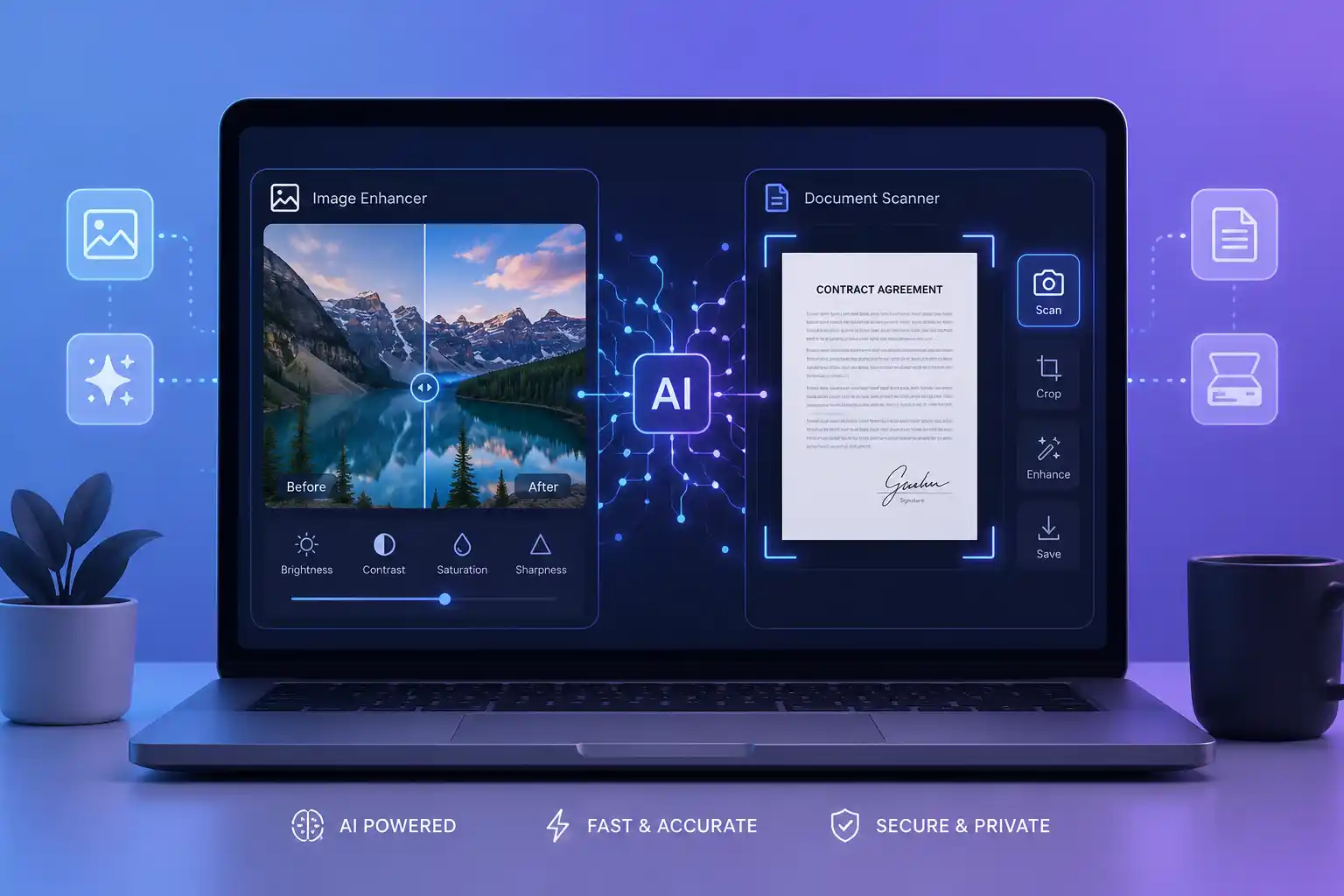
Instead of manually adjusting exposure, contrast, and white balance, AI can now analyze a photo and correct lighting issues automatically, often matching professional color-grading standards.
5. Face and Detail Enhancement
Portrait tools can now smooth skin, sharpen eyes, or adjust lighting on faces specifically — recognizing facial structure well enough to apply targeted, natural-looking adjustments instead of blanket filters.
.webp)
How AI Is Changing Document Editing
Photos get the spotlight, but document editing has quietly become just as AI-driven.
1. OCR That Actually Understands Layout
Optical Character Recognition (OCR) used to just extract text — often garbled, out of order, or stripped of formatting. Modern AI-powered OCR understands structure: it knows what's a table, what's a heading, and what's a footnote, and rebuilds the document accordingly.
2. Auto-Summarization
Long contracts, reports, or research papers can now be condensed into a few key points automatically. This is especially useful for professionals who need to skim dozens of documents a day without losing critical details.
3. Smart Formatting and Cleanup
Messy, inconsistent documents — mismatched fonts, broken spacing, misaligned tables — can be automatically cleaned up. AI recognizes formatting patterns and normalizes them without a user manually fixing every line.
4. Redaction and Privacy Detection
AI can now scan documents to detect sensitive information — names, ID numbers, financial details — and flag or redact it automatically, reducing the risk of accidental data leaks before sharing.
5. Translation Without Losing Formatting
Traditional translation tools would often strip formatting entirely. AI-based document translation now preserves layout, tables, and structure while converting the content into another language.
.webp)
What's Actually Happening Behind the Scenes
None of this is magic — it's pattern recognition at scale. Most AI editing tools rely on models trained on enormous datasets of images or documents, learning to recognize:
- Edges, shapes, and depth in photos (to separate subjects from backgrounds)
- Common document structures (headings, paragraphs, tables, signatures)
- Typical color and lighting patterns in "good" photography
- Language patterns for summarization and translation
When you click a button like "Enhance" or "Auto-Format," the tool isn't manually programmed with rules for every possible photo or document. Instead, it's referencing patterns learned from millions of examples and applying the closest match to your specific file.
This is also why these tools keep improving. As models are trained on more data, results get sharper, more accurate, and less prone to obvious mistakes like warped faces or garbled text.
Why This Matters for Everyday Users
For casual users, this shift means editing is no longer a specialized skill — it's a convenience.
- No software expertise required. You don't need to know what "layers" or "masks" are anymore.
- Speed. Tasks that took 20–30 minutes now take seconds.
- Accessibility. People with no design background can now produce clean, professional-looking results.
- Lower cost. Many AI-powered tools are free or low-cost, replacing the need for expensive professional software subscriptions.
Many of these AI-powered improvements are now available for free — for example, you can reduce image size or merge images directly in your browser without any technical skill.
Whether it's fixing an old family photo, converting a scanned document into an editable file, or quickly formatting a resume, AI has removed the technical barrier that used to make these tasks intimidating.
.webp)
Why This Matters for Businesses and Freelancers
Beyond individual convenience, AI-powered editing is changing how small businesses and freelancers operate:
- Faster turnaround times. Designers and content creators can produce more output without sacrificing quality.
- Reduced reliance on outsourcing. Simple edits that once required hiring a designer can now be handled in-house.
- Better document handling at scale. Businesses processing large volumes of paperwork — invoices, contracts, forms — can automate cleanup, redaction, and formatting instead of doing it manually.
- Consistency. AI tools apply the same quality standard every time, reducing human error in repetitive tasks.
For freelancers juggling multiple clients, this means more time spent on strategy and creativity, and less time on repetitive technical work.
The Trade-Offs Nobody Talks About
AI-powered editing isn't without downsides, and it's worth being clear-eyed about them:
- Over-reliance on automation. Users may lose the ability to manually fix issues when AI tools get something wrong.
- Authenticity concerns. Generative fill and photo enhancement raise questions about how "real" an edited photo actually is, especially in journalism or legal contexts.
- Privacy considerations. Uploading sensitive documents or photos to online tools means trusting how that platform handles and stores your data.
- Imperfect results on edge cases. AI models are trained on common patterns — unusual documents, rare photo compositions, or handwriting can still confuse them.
None of these trade-offs erase the benefits, but they're worth keeping in mind, especially when working with sensitive or professional material.
What's Coming Next
The pace of change here isn't slowing down. A few trends worth watching:
- Fully conversational editing — describing changes in plain language ("make the background warmer, remove the shadow") instead of clicking specific tools.
- Real-time document understanding — AI that doesn't just clean up a document but actively understands its meaning, cross-referencing data across multiple files.
- On-device AI editing — more processing happening directly on phones and laptops instead of the cloud, improving both speed and privacy.
- Better authenticity tools — as generative editing becomes more common, expect more tools designed to detect or disclose AI-edited content.
The tools available today are already a huge leap from five years ago. The next few years will likely make current AI editing features look basic by comparison.
Final Thoughts
AI hasn't replaced photo and document editing — it's quietly absorbed the tedious parts of it. Background removal, formatting cleanup, summarization, and enhancement used to require time, skill, or specialized software. Now they happen with a click, often without users even realizing an AI model is doing the heavy lifting.
Understanding how this works — and where its limits are — helps you use these tools more effectively, whether you're touching up a personal photo or preparing an important document for work.
FAQs
Is AI photo editing free to use? Many browser-based AI editing tools offer free versions with core features like background removal, compression, and basic enhancement, though advanced features may require a paid plan.
Is it safe to upload personal documents to AI-powered tools? It depends on the platform. Always check a tool's privacy policy and prefer services that clearly state they don't store or share your files after processing.
Can AI-edited photos be detected? In many cases, yes — tools are increasingly being developed to detect signs of AI generation or heavy editing, especially for use in journalism, legal, and academic contexts.
Does AI document formatting work on scanned files? Yes, modern OCR-based AI tools can read scanned documents, understand their layout, and convert them into clean, editable, and properly formatted files.You can test this yourself using our free PDF Merger to combine and organize scanned pages.